Pagination (Page Controller)
Pagination splits content or data across multiple pages. Users move with Previous/Next or jump straight to a page by number. Commonly used to list non-continuous content, and on pages where the user repeats the same task.
Anatomy
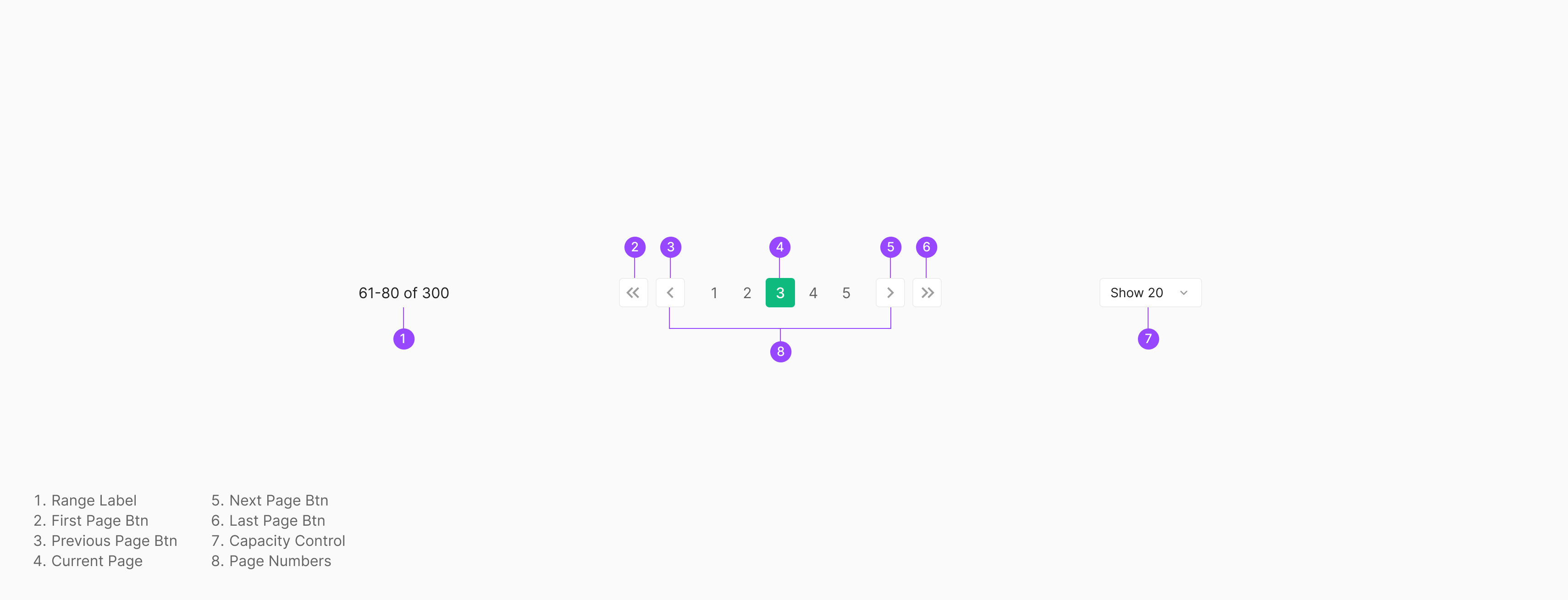
Table of Figma Properties — Pagination
Pagination Item
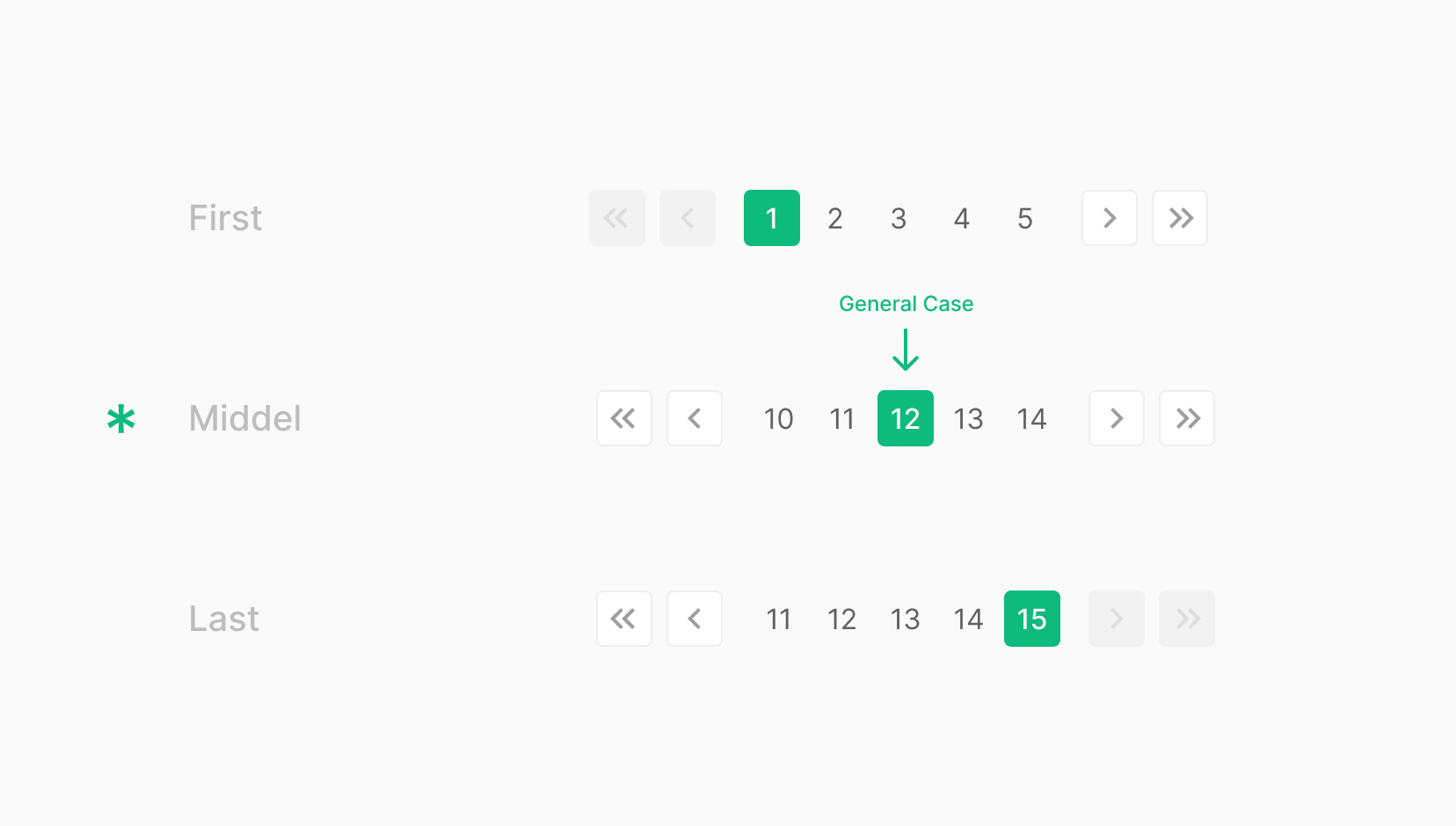
Pagination Items work alongside the displayed Page Numbers to signal where the user is within the data set. Visually and behaviorally similar to a Chip.
Alignment
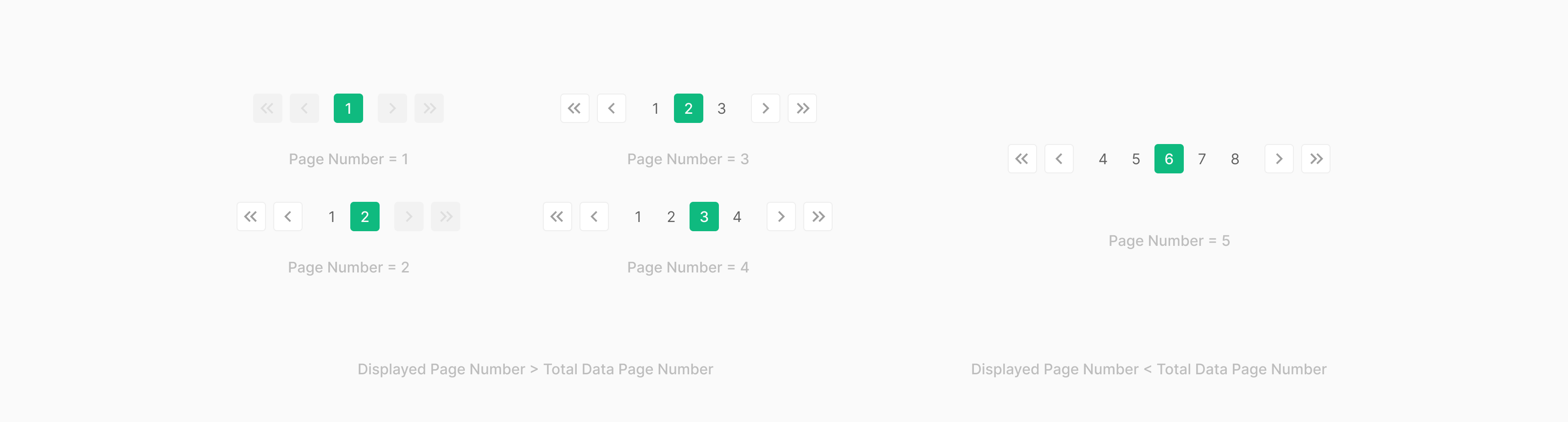
The selected Item generally centers. The first two and last two pages anchor to the ends — pages 1, 2 at the start and the last two pages at the end.
Table of Figma Properties — Pagination Item
Use Case
Pagination Item State
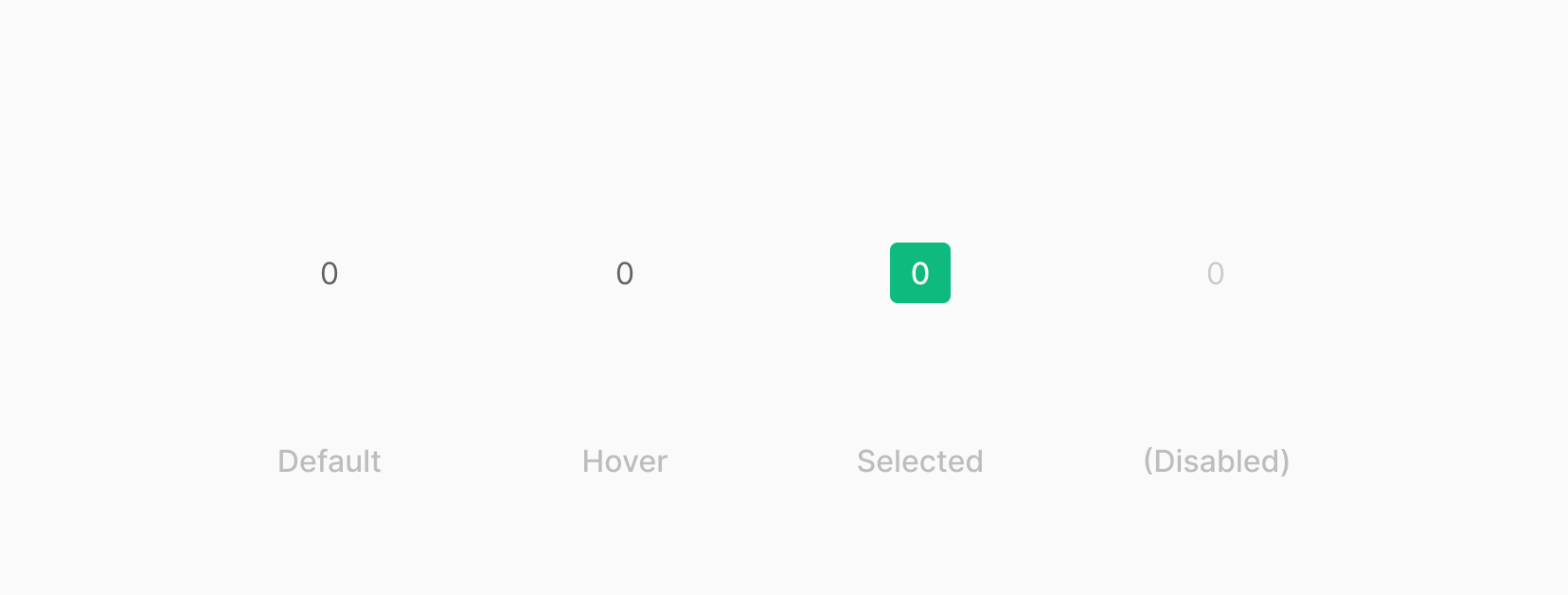
Navigates the current position within a paginated component, exposing the full data display area. State mirrors Chip — Default, Hover, Selected, Disabled. Avoid the Disabled state — it complicates sort order.
Previous / Next Icon Button
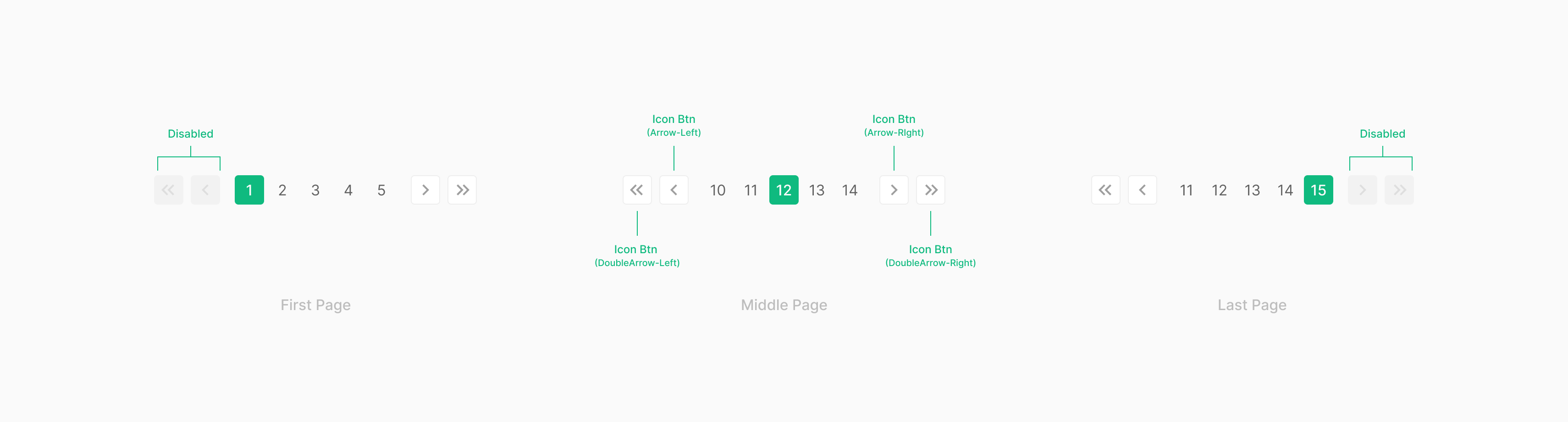
Previous/Next and First/Last Page Icon Buttons advance one page per click. Use Medium-size Icon Buttons. On the first page or last page, the directional button enters the Disabled state.
Page Number
Page numbers default to a maximum of 5 visible per screen. If total pages < 5, surface only the actual page count (1–4).
Spec
Spacing
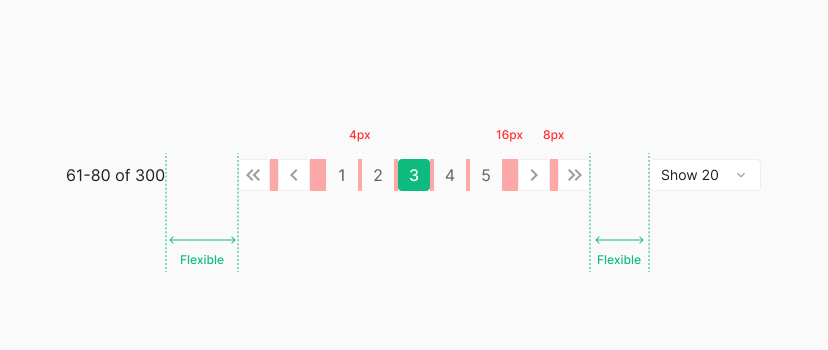
Previous/Next and First/Last Page buttons use 8px between, and 16px between the page-button group on each side. Each page button uses a 4px margin. The gap to Range Label and Capacity Control on either side flexes based on the container's width.
Size
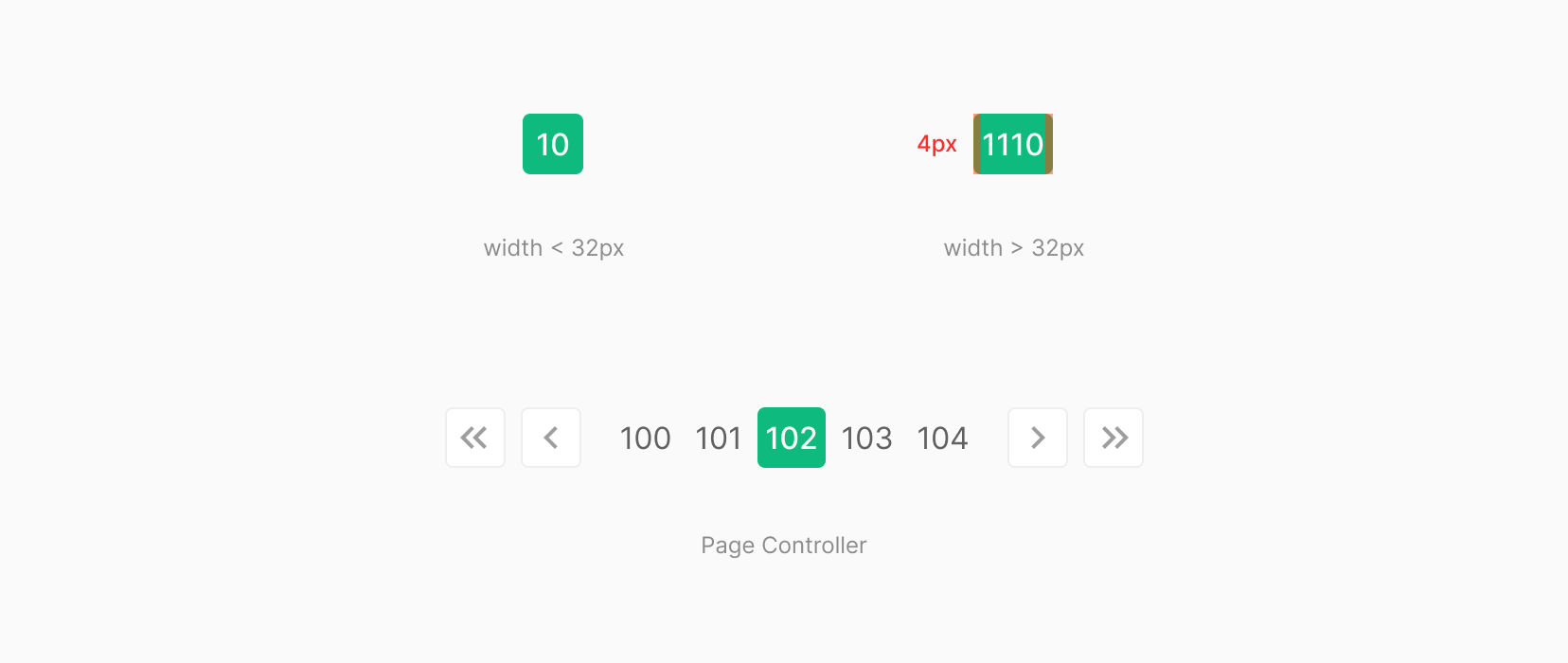
Page numbers use 4px horizontal padding. If the width drops below 32px, lock to 32px. When the page number renders wider than 32px, expand from the 4px-padding baseline. Three-digit page numbers create width variation within the page-number group.