Empty State
Empty State communicates the absence of data for a given item — explaining what's not there (the no-data case).
Anatomy
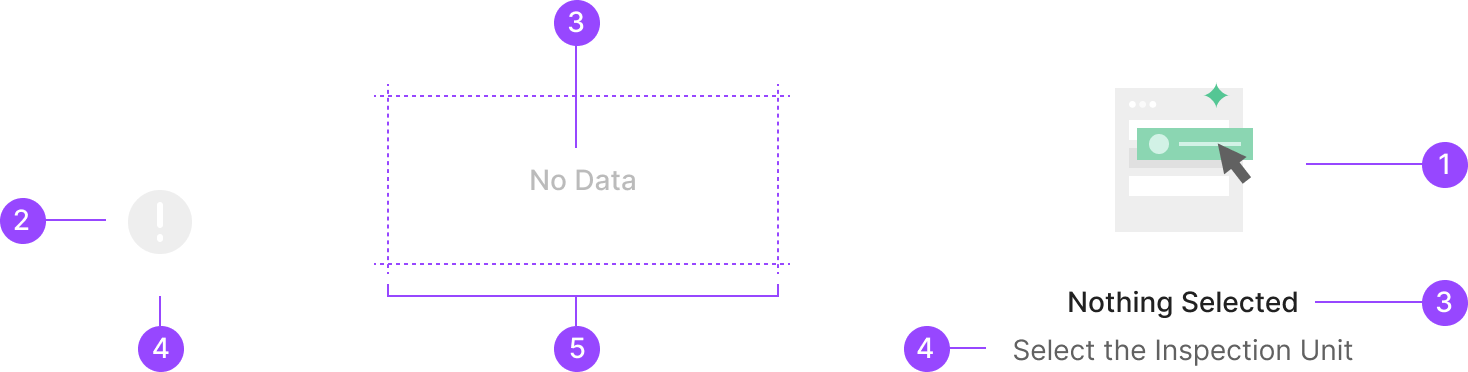
1. Illustration
2. Icon
3. Header
4. Description
5. Container
Usage
Empty State's base composition is Illustration, Header, and Description. Each element can be omitted or added based on context, and a CTA Button can join when functionally needed.
Header
Conveys the primary summary for the empty state. Typically a short 2-3 word phrase.

Description
Surfaces alongside Illustration and Header when extra context is needed. Should not exceed 2 lines, with a max width of 300px.

Illustration
Communicates the no-data state visually and intuitively. The illustration container is fixed at 100×100px — every illustration shares the same size.
.png)
CTA Button (optional)
Empty State can include a CTA Button to drive a specific action — typically a creation-related action.
Type of Empty State
Empty State splits into three types by purpose. These surface when a given area lacks data, typically within a bounded container. Beyond these three types, individual components in Zoomable Design System can also surface empty states when their data is absent. Those component-specific cases are defined within each component's own system. (e.g., avatar image empty, image data empty …)
.png)
Illust Type (IES)
Used when an empty state appears repeatedly within a content scope and the case calls for a heavy visual — Illustration or Icon.
.png)
Illust with Description Type (IDES)
Used when an empty state appears repeatedly within a content scope and the case calls for a heavy visual — Illustration or Icon.
.png)
Illust with CTA Type (ESC)
Used when an empty state appears repeatedly within a content scope and the case calls for a heavy visual — Illustration or Icon.
Illustration Types
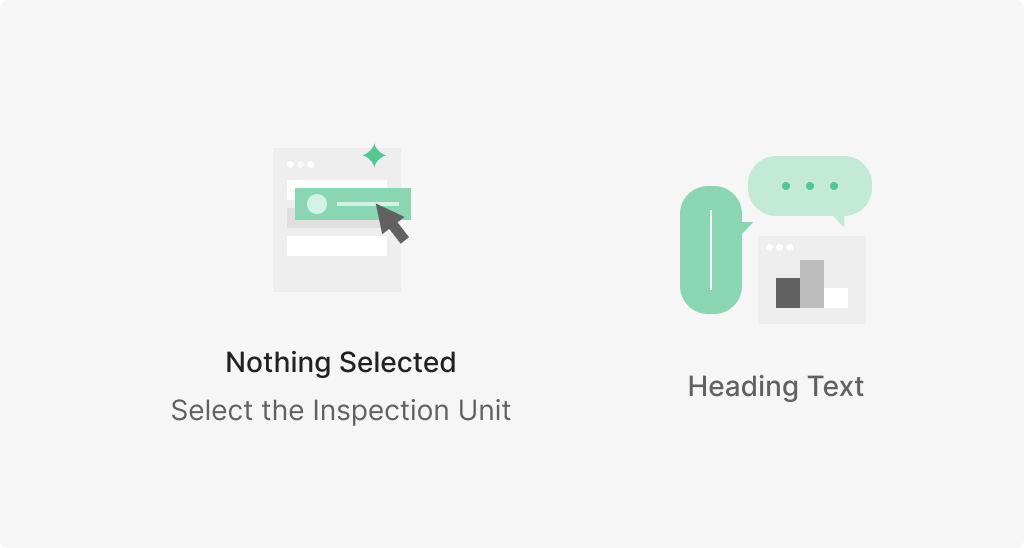
Empty State illustrations can be produced per function, but today the two primary states are No Data and Nothing Selected. No Data marks the absence of displayable data; Nothing Selected marks the absence of a current selection.

Main Illustration Types
.png)
Extra Illustration Type (Optional)