UX/UI Design · 2022–2024
NearthWind Mobile
A mobile ops system that controls AI-driven autonomous drone flight and four-sided blade capture in the field. Setup, capture, review, and data transfer — every inspection workflow starts here.
Overview
AI autonomous drones for
four-sided turbine blade inspection
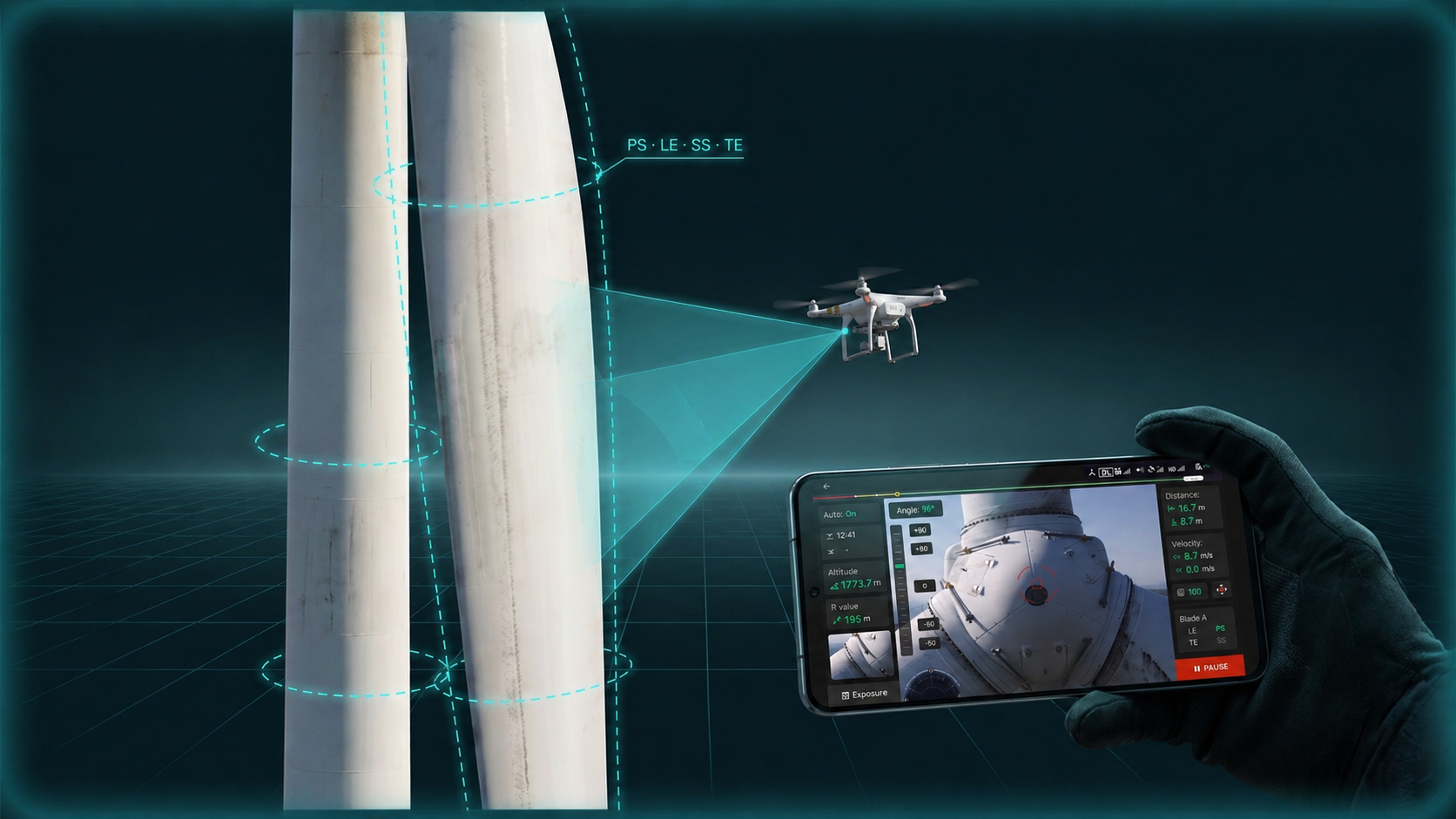
NearthWind Mobile is a field ops system for wind turbine blade inspection. After the turbine is stopped, the drone autonomously flies to capture the upper blade across all four sides. It runs on commodity drones — no specialist hardware required.
This app is the starting point of the inspection pipeline. Operators set capture conditions, AI handles the flight, and the team reviews the result on-site. Verified data syncs to Zoomable Worker, where desktop-side precision analysis takes over.
Design Challenge
Products used in the field
solve a different kind of problem.
Operating in extreme conditions
High wind, direct sunlight, ambient noise. Operators often wear gloves. Touch targets need real room, and critical info has to stay legible in bright sun.
Flying and configuring at the same time
Operators pilot and adjust capture settings simultaneously. They monitor altitude, angle, and speed mid-flight while tuning capture parameters. The cognitive cost of switching modes had to drop.
The cost of getting setup wrong
Misconfigure blade order, ISO, or shutter speed and the whole capture starts over. Turbine downtime is bounded, so a setup mistake is a real cost on the ground.
Continuity with downstream systems
Mobile capture flows into Zoomable Worker for analysis and Zoomable Wind for management. Metadata structure and handoff decide downstream quality.
Core Feature 01
Flight & Inspection Settings
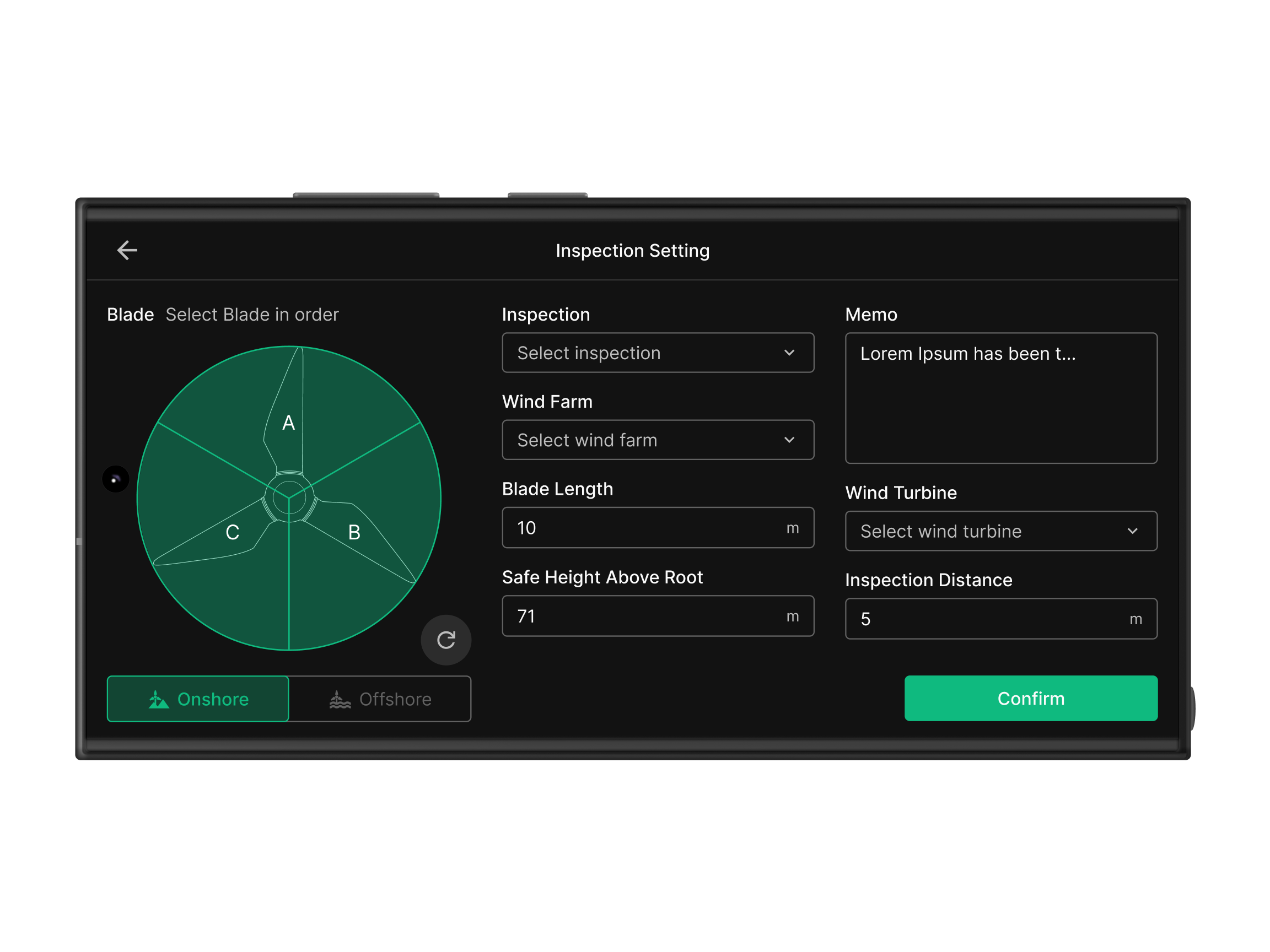
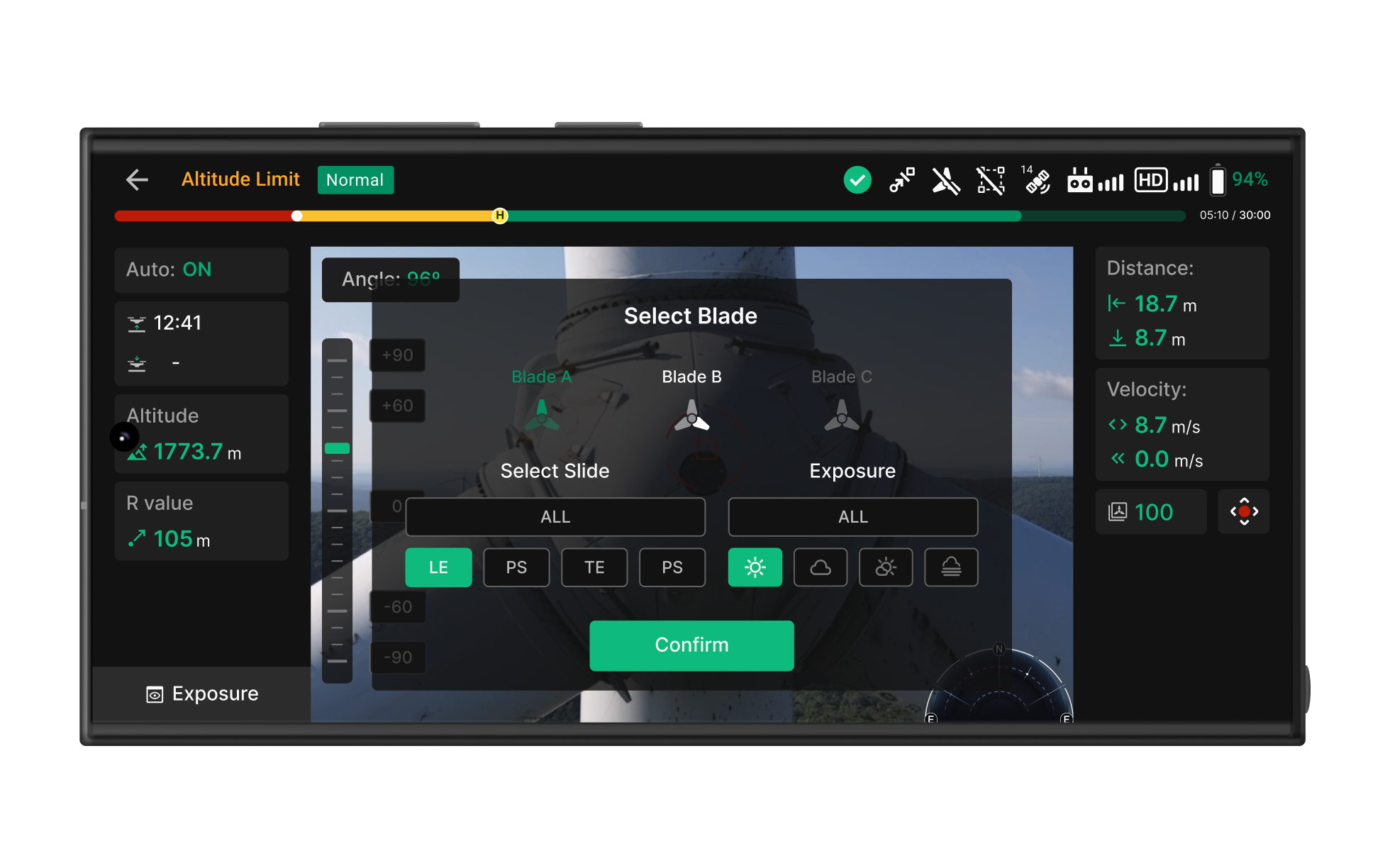
Blade selection, turbine info, joystick mode, camera parameters — all configured inside a single setup flow. Every input the inspection needs lives in one place, so operators spend less time hopping screens or missing fields.
A bad capture condition forces the whole inspection to repeat. Setup is laid out as a sequence, and required fields block progress until filled — fewer mistakes at the gate.
Blade selection
Inspect all four sides of the upper blade. Operators pick blade order and then enter Wind Farm, Wind Turbine, and Blade Length in sequence.
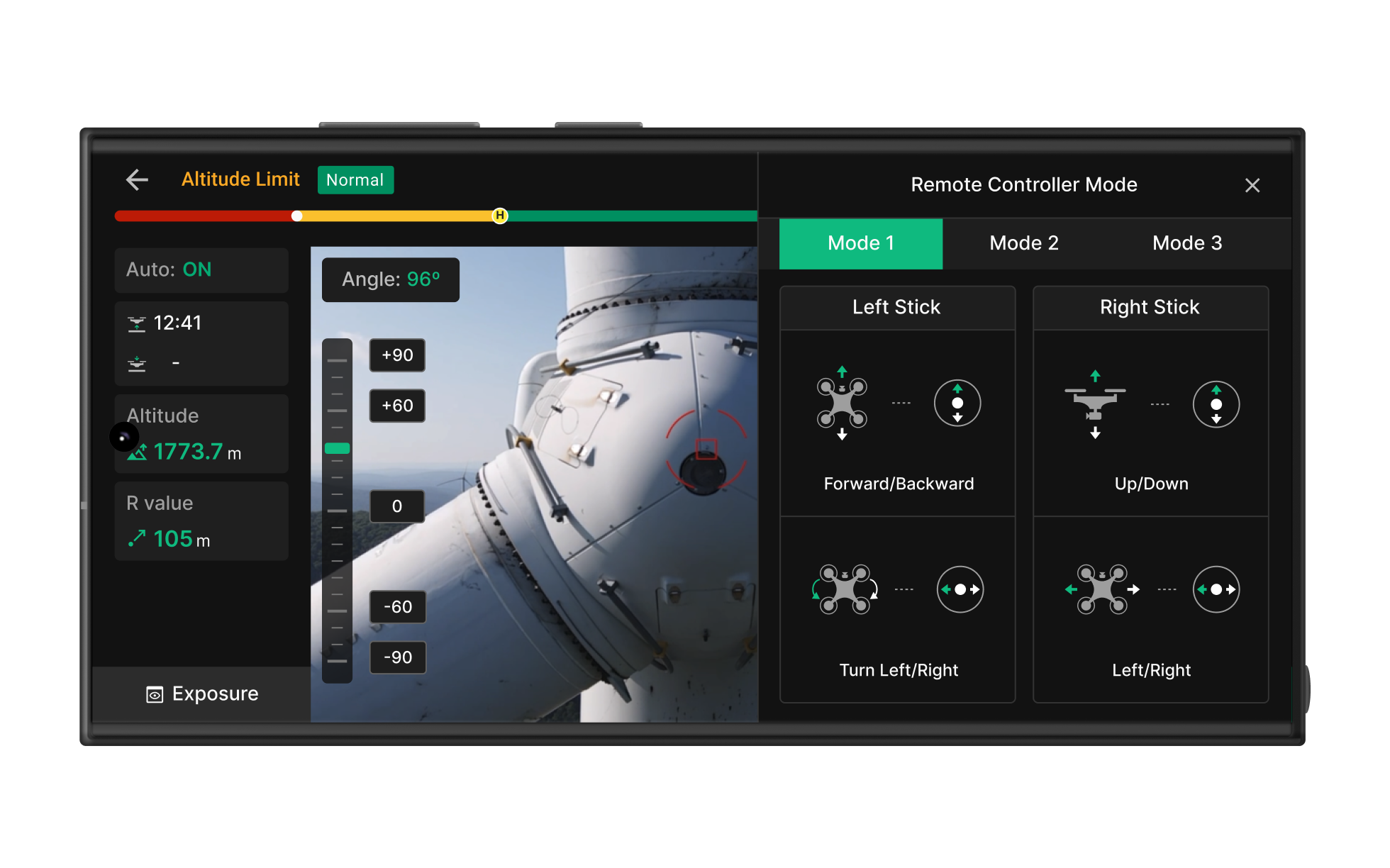
Remote controller
Supports Mode 1 / Mode 2 and Left/Right stick mapping. Pilots customize for their flying habits, cutting down on input mistakes.
Capture settings
ISO, shutter speed, and exposure are tuned to field conditions. Onshore and Offshore presets reduce repeat setup overhead.
Core Feature 02
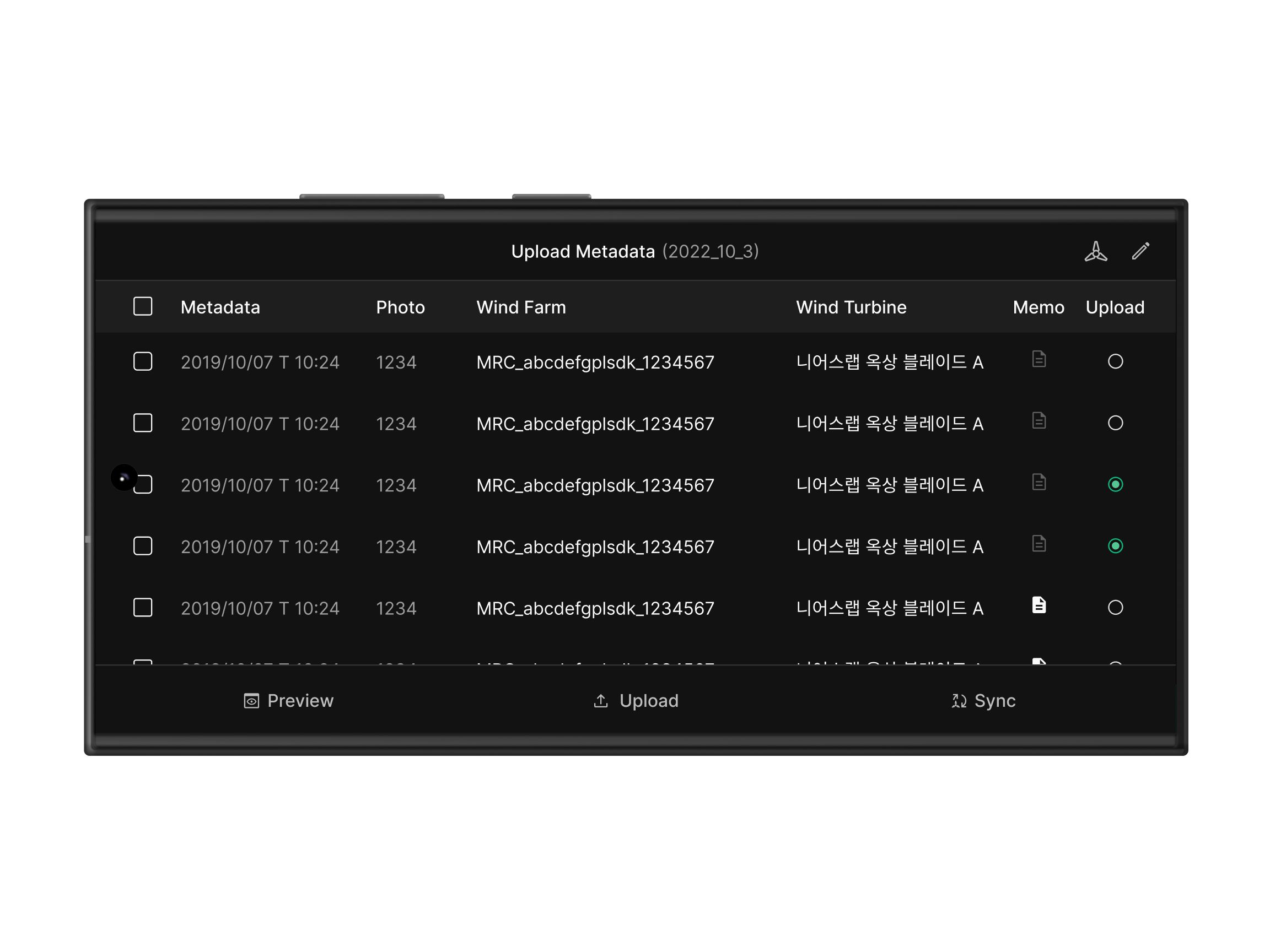
Metadata Upload & Review
This isn't simple upload. It's a quality gate: review captures on-site, decide whether to re-shoot, and only ship verified data to Zoomable Worker.
The quality of mobile capture decides the accuracy of downstream analysis. This screen is the handoff between the field and the desktop — the first gate on data trust.
Stitch & Review
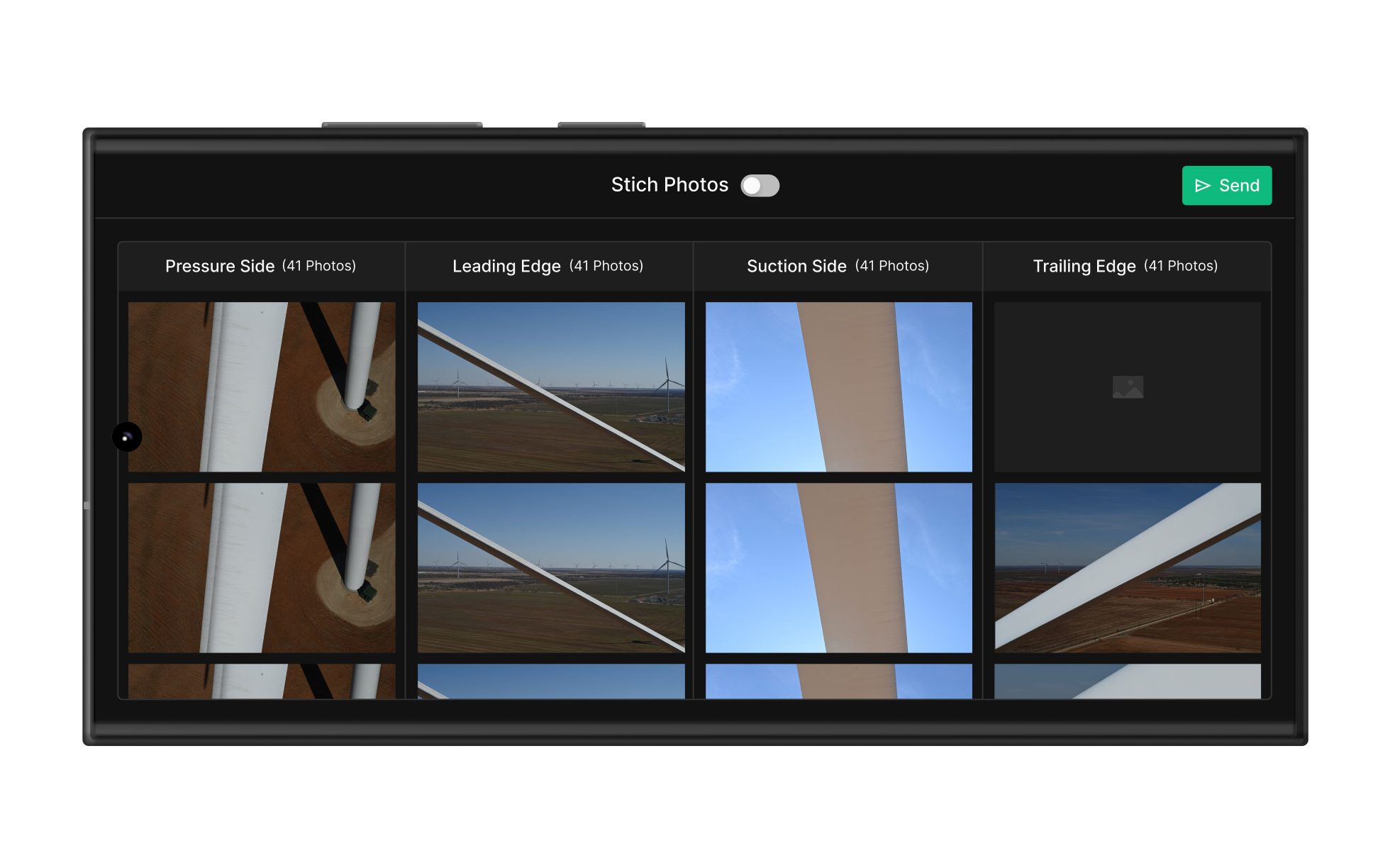
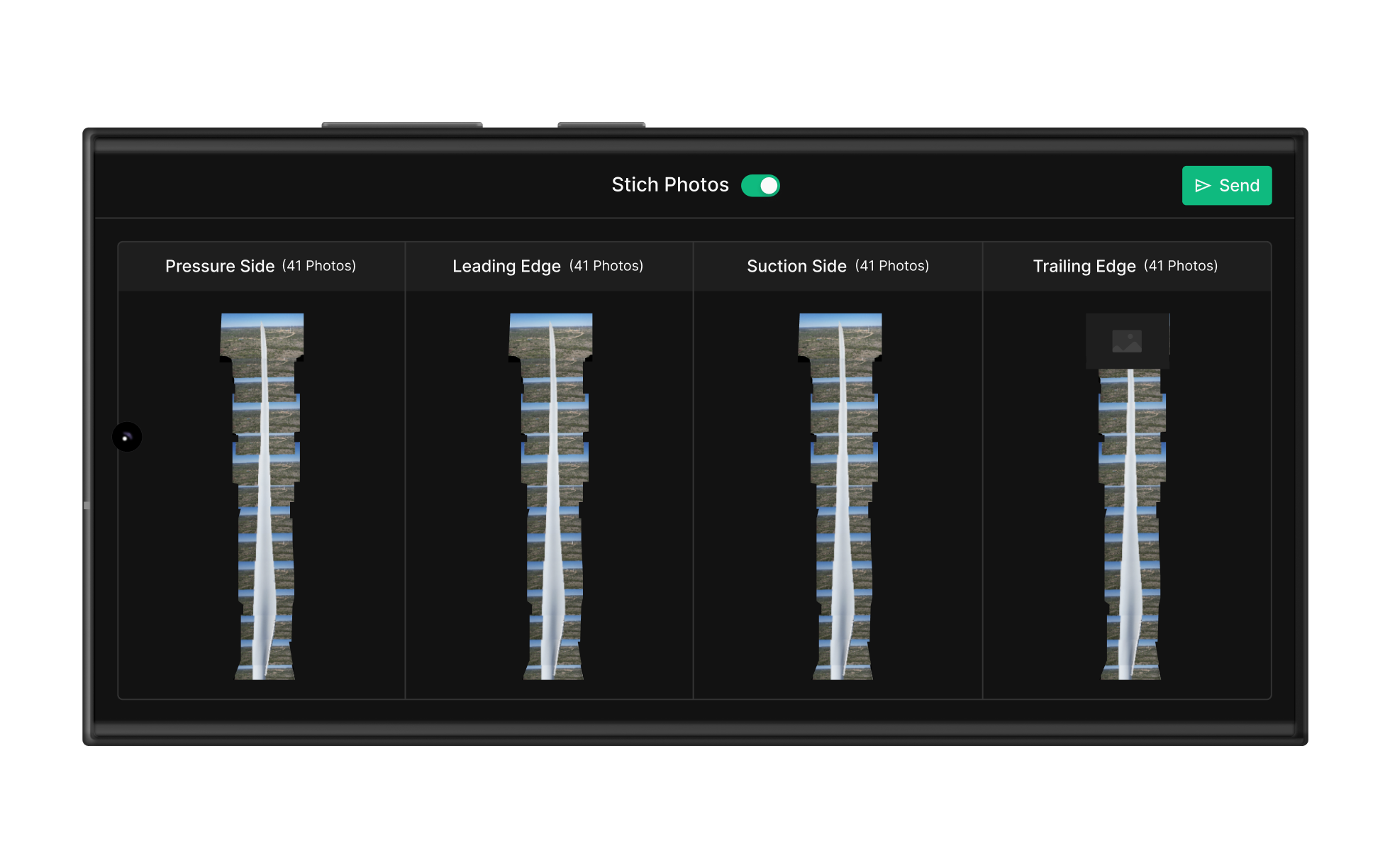
The four blade sides (Pressure, Leading Edge, Suction, Trailing Edge) stitch into a single view so the team can scan the whole blade and catch missing coverage on-site.
Quality check & re-capture
Per-side image count and capture state appear in real time. Below quality threshold? Re-run the autonomous flight on the spot to fill the gap.
Worker handoff
Verified data syncs to Zoomable Worker with metadata structure intact, so desktop-side precision defect analysis starts the moment it lands.
Process Flow
End-to-end drone inspection workflow
Inspection Setting
Blade selection, turbine info, and capture conditions configured in sequence
Auto Flight
AI-driven autonomous flight captures the four blade sides in sequence
Preview & Check
Stitched preview verifies capture quality on-site, instantly
Upload & Sync
Verified data syncs to Zoomable Worker, analysis begins
Outcome
Project results
Automated setup plus AI-driven flight cut on-site time dramatically compared to the manual baseline.
Pressure, Leading Edge, Suction, Trailing Edge — every side captured, no gaps.
Deep-learning-based autonomous flight reduces dependence on pilot skill and keeps captures consistent.
Two years of field-feedback-driven iteration, validated under real operating conditions.
Field UX
Designing for wind, noise, and direct sun is fundamentally different from designing for an office. Touch targets, color contrast, information density — every decision had to bend to field conditions. The core challenge: take the complex workflow of flying a drone while configuring an inspection and simplify it down to something one hand can run.
System Continuity
This app isn't a standalone product. It's the entry point of an inspection pipeline. I designed the end-to-end experience so mobile capture flows naturally into Zoomable Worker and is managed in Zoomable Wind. Because metadata consistency drives downstream accuracy, the handoff design was the most consequential call we made.